

ANNE Wizard: The Essential ANNE Installation Suite
ANNE Wizard is ANNE installation suite brought to you by ANNE Media – a complete toolkit for setting up your decentralized annode environment.
Get started with ANNE Node, ANNE Hasher, ANNE Miner in minutes.
*Security note: As free open-source software, ANNE Wizard is not signed with a paid certificate. Windows or macOS may show a warning on first launch. This is expected and the app is safe.
What the ANNE Wizard Does For You
Running a node in a distributed data network normally requires several separate steps: installing dependencies, setting up a database, downloading the chain, configuring the software, and opening ports. The ANNE Wizard is an ANNE installation suite that combines all of those steps into a single process. It does not change what gets installed. It just automates the work so you do not have to do it manually.
If you prefer to do things yourself, the manual installation guide is still available. But if you want to be running a node in twenty minutes instead of spending an evening reading documentation, the Wizard is the better choice.
What the Installation Suite Includes
- ANNE Node – The core software that connects you to the network. It validates blocks, maintains the datachain, builds the hypergraph, and serves the API for local applications.
- ANNE Hasher – A one‑time tool that pre‑computes the cryptographic plots needed for mining. It fills your hard drive with hashes that the miner will later read.
- ANNE Miner – The low‑energy mining client that reads your plots, computes deadlines, and submits them to the network. It runs continuously if you choose to mine.
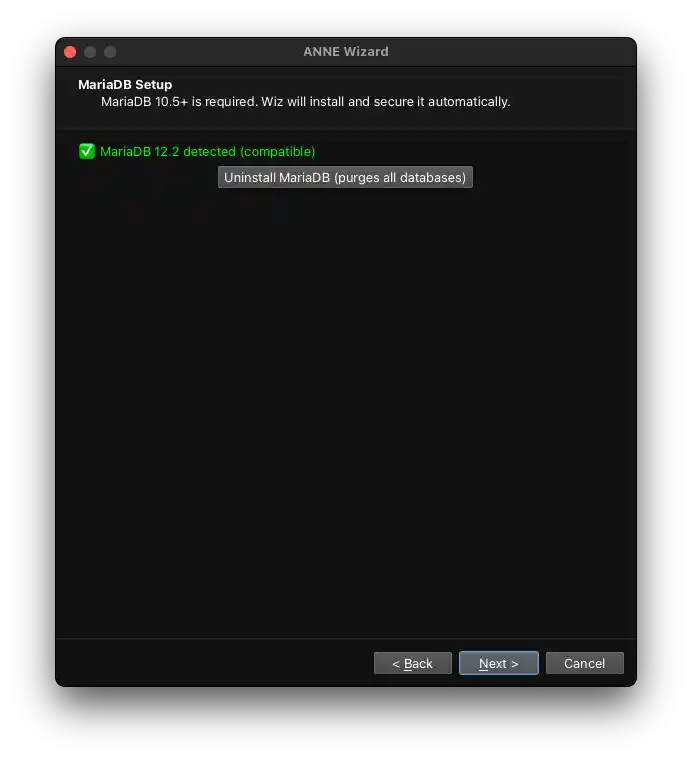
- MariaDB with chain snapshot – The Wizard installs MariaDB, creates the required database, sets a root password, and imports the latest chain snapshot. When you first start ANNE Node, it only needs to catch up on recent blocks, saving hours or days of sync time.
What the Wizard Configures for You
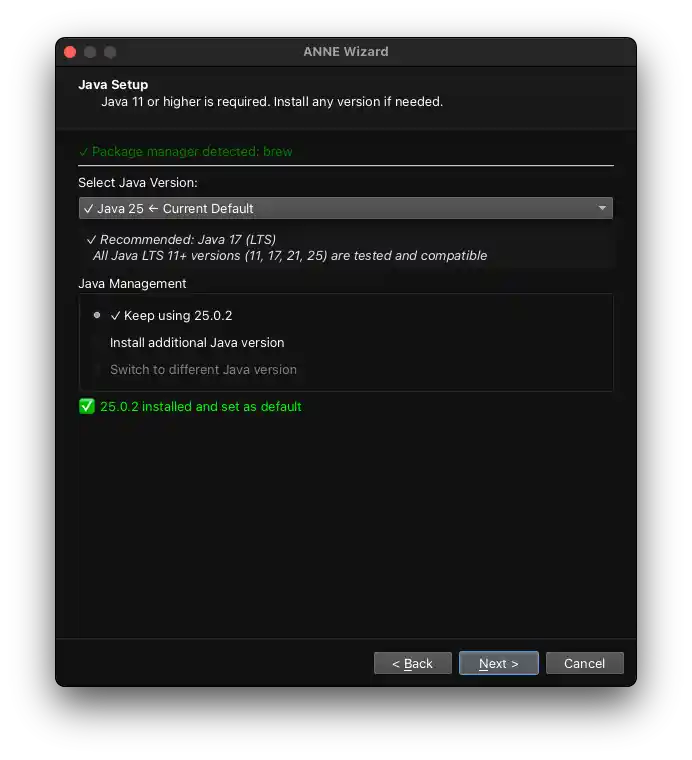
- Java and MariaDB – Installed and configured automatically, no manual setup required.
- Database user and permissions – Creates the `anneroot` user with proper grants.
- Node configuration – Writes the `node.properties` file with your IP address and generated or imported keys.
- Miner configuration – Prepares miner settings so you can start plotting and mining immediately.
- Firewall rules – Opens port 9115 (or custom) in your OS firewall so your node can communicate with peers.
- Desktop shortcuts – Adds icons for ANNE Node, ANNE Hasher, and ANNE Miner to your desktop.
- Menu shortcuts – Ensures the tools are accessible from your OS start menu
Installation Walkthrough
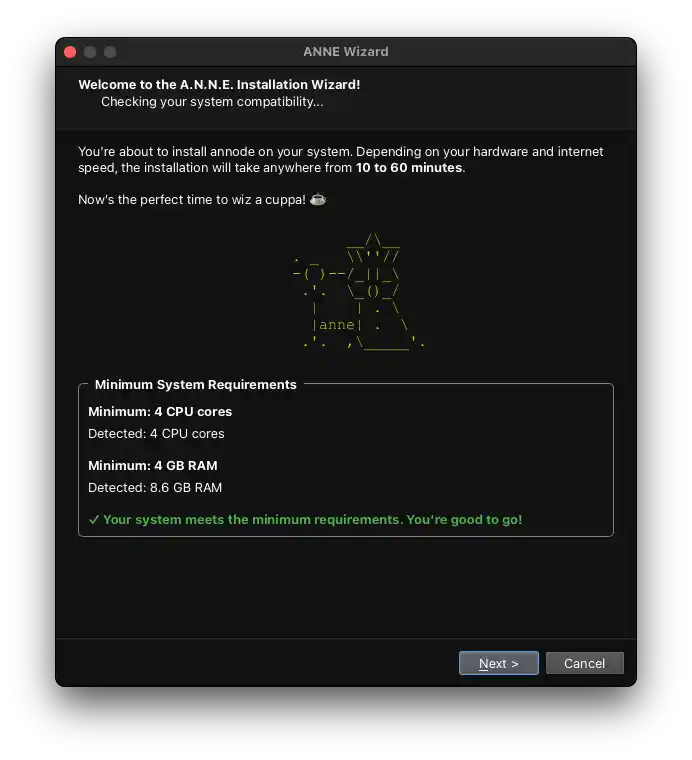
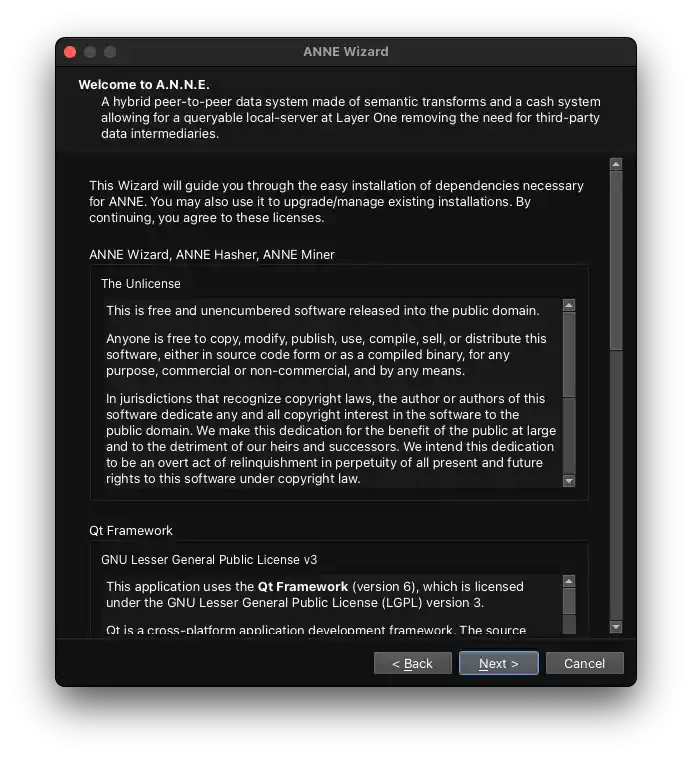
The ANNE installation suite works on Linux (dnf, apt, pacman), macOS 10.12 or newer, and Windows 10 or 11. Here is what happens when you run it:
- Download the installer – Choose the version for your operating system.
- Run the installer – On Windows, double‑click the .exe. On macOS, open the .dmg and drag to Applications. On Linux, run the appropriate package for your distribution.
- Dependency check – The Wizard checks if Java and MariaDB are installed. If they are missing, it installs them using your system’s package manager (or Homebrew on macOS).
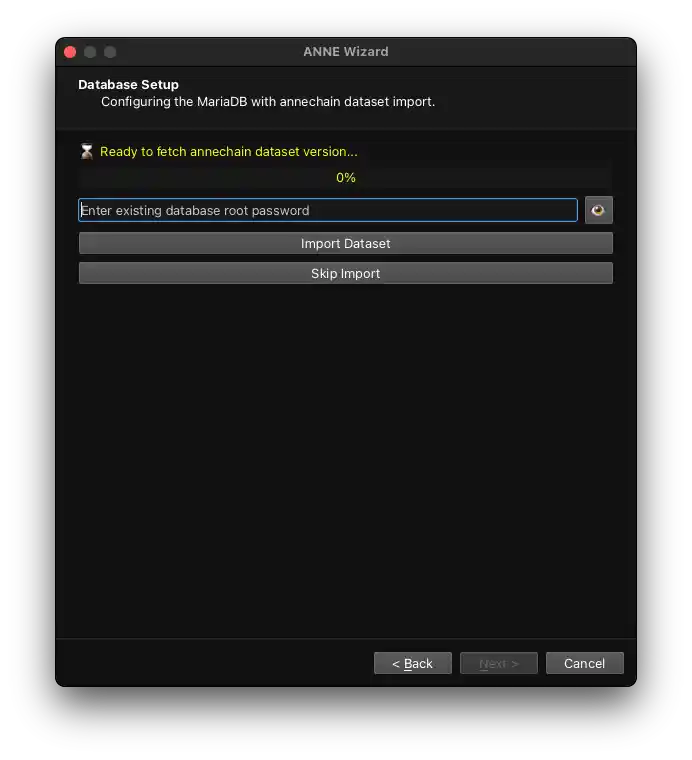
- Database setup – This is the longest step. The Wizard starts MariaDB, creates the `annedb` database, sets a root password (write it down), and creates a database user called `anneroot` with its own password. It then downloads the latest chain snapshot from the ANNE mirror and imports it. The import can take 10 to 30 minutes depending on your hardware.
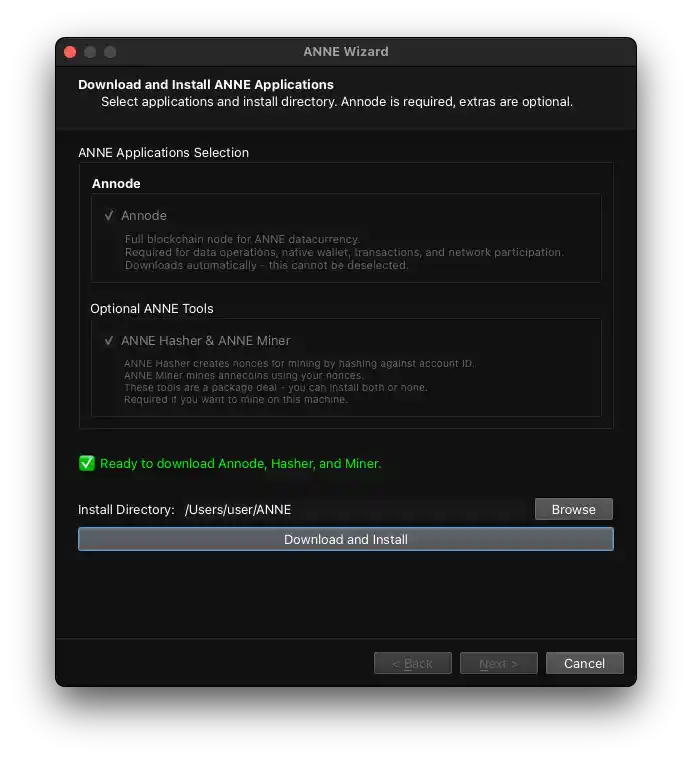
- Core tool installation – The Wizard copies ANNE Node, ANNE Hasher, and ANNE Miner to your system. On Windows they go to `C:\Program Files\ANNE`. On macOS and Linux they go to your home directory under `~/ANNE`.
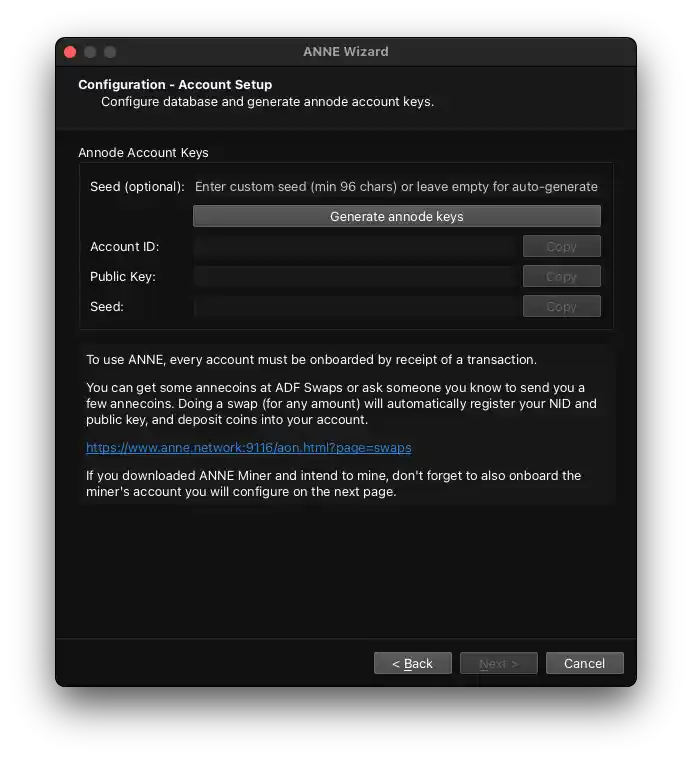
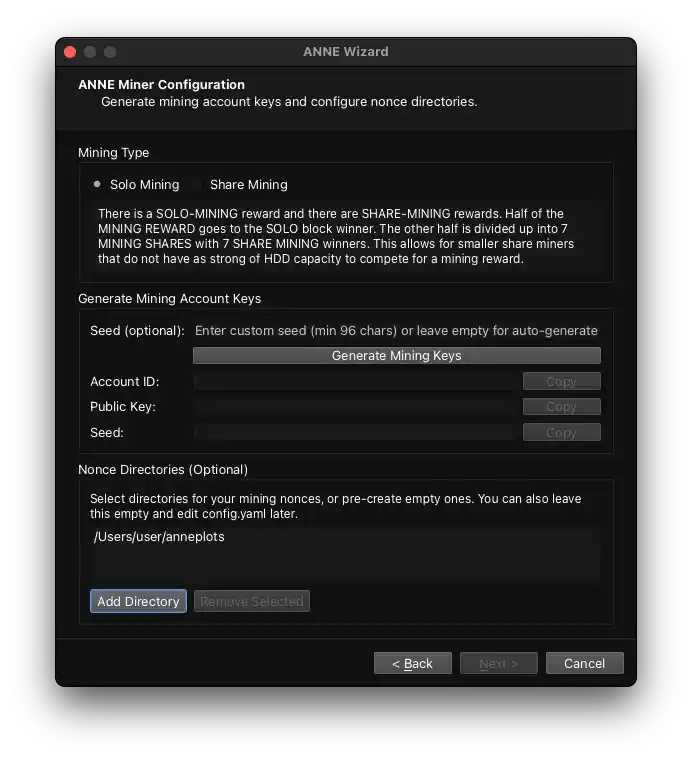
- Configuration – A configuration window opens. You are prompted for your public IP address (find it at whatismyipaddress.com). You can generate new ANNE keys or enter existing ones. The Wizard writes the `node.properties` file and the miner configuration automatically based on your answers.
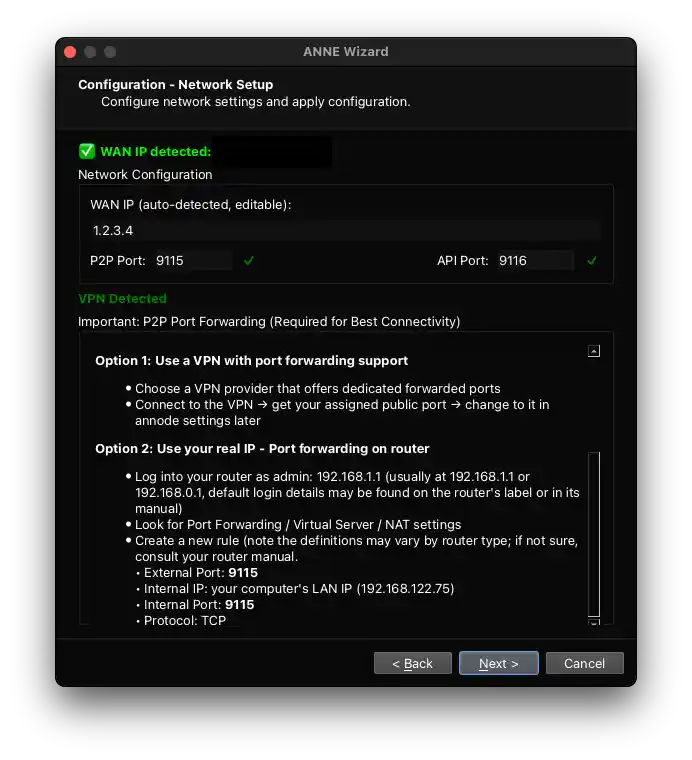
- Firewall – The Wizard opens port 9115 (or custom – the P2P port) in your operating system firewall. On Windows it adds a firewall rule. On Linux it runs the appropriate ufw or firewalld or csf command. On macOS it uses the built‑in firewall tools.
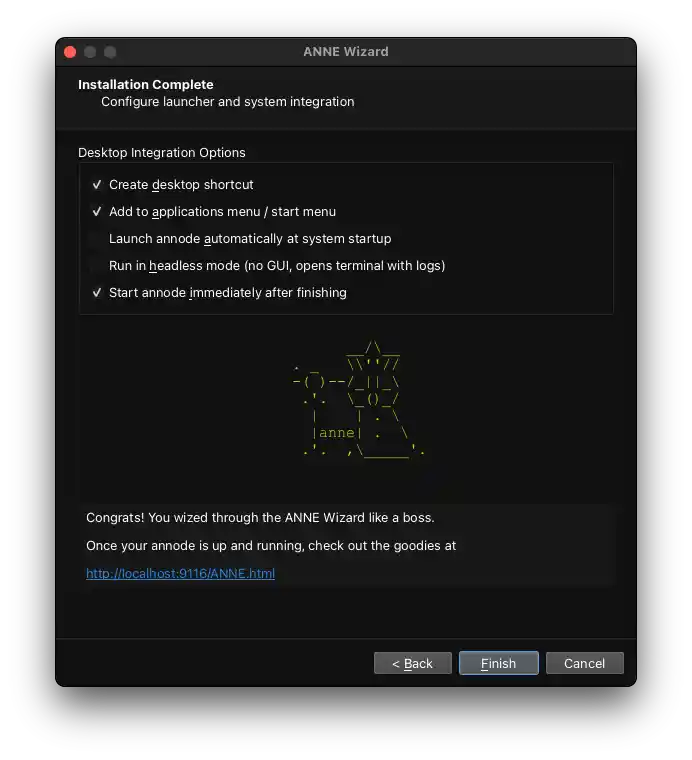
- Finish and desktop shortcuts – The Wizard adds icons to your start menu (Windows), User Applications folder (macOS), or desktop environment (Linux) and closes. You can now launch ANNE Node from the shortcuts.
When the Wizard finishes, you can run your annode. It will start syncing blocks from our public peers and soon acquires more peers. Once your annode is synced with the network, open your browser to http://localhost:9116/ANNE.html and you will find the main application suite: the multi‑account wallet, annecoin swaps, the Annex lookup app, and the LUKAT conceptual search. At http://localhost:9116/aon.html you can access Numiner and the mining dashboard. Everything is ready to use.
After the Wizard Finishes
Once the ANNE installation suite has done its work, you have a few options for what to do next:
- Just run a node – If you only want to support the network and use applications, you do not need to do anything else. Keep ANNE Node running and it will stay synced.
- Start mining – If you have spare hard drive space, run ANNE Hasher to plot your drives, then start ANNE Miner. You can mine solo or in share mode.
- Explore the hypergraph – Open
http://localhost:9116/ANNE.htmlandhttp://localhost:9116/aon.html. You’ll find the multi‑account wallet, the Annex lookup app, LUKAT conceptual search, and Numiner. - Build applications – The API is available at
http://localhost:9116/api-doc. You can write apps that query the hypergraph, submit transactions, and interact with the network through your local node.
      __/\__
. _   \\''//
-( )--/_||_\
 .'.  \_()_/
  |    | . \
   |anne| .  \
    .'.  ,\_____'.
Power to the people.
Other projects from ANNE Media

ANNE Hasher
Fast, secure hashing tool

ANNE Miner
Low-energy mining client

ANNE Talk
Forum for all things ANNE

Kuno
Peer-to-peer crowdfunding platform
Support
ANNE Media is a sovereign non-profit organization. All our expenses are covered by user donations. If you like using our products, please support us.
Thank you kind sir or ma’am

84VrmTNQq4hbfBQce5LfUe8BHmBFSDKHHFcSws6FRa9oiDUQANBkRnKYChabe9HRYUVAu9tcojXNFJL484KQPdJFCxRecbP
Contribute & Earn Annecoin
ANNE Wizard is open-source software. If you have skills and want to help improve it, we welcome your contributions. Let’s talk at ANNE Talk.
Join ANNE community
We think ANNE Talk is the best place to join the ANNE ecosystem, and we would be delighted to have you as part of our community.